

How to create a hierarchical CostCentre Control for Spider
Summary
If you want to have your CostCentre control look like the location selection control or the organisational unit selection control, you have to create a hierachy control compatible view.Synopsis
Normally CostCentre is a flat DropDown Control. Customers using SAP or other big ERP solutions often work with three-dimensional cost centres.
If you want to have your CostCentre control look like the location selection control or the organisational unit selection control for Spider, you have to create a hierachy control compatible view.
create view dbo.Core_HirCostCentre as
SELECT ID, MandatorID, Name as p_hir001, AccountingArea as p_hir002, ProductArea as p_hir003, NULL as p_hir004, NULL AS p_hir005, NULL AS p_hir006,NULL AS p_hir007, NULL AS p_hir008, Description,isnull(Name, '') + '/'+isnull(AccountingArea, '') + '/' +isnull(ProductArea, '') as HierarchyPath, ExpirationDate, EmployeeID, CostCentreOwner, FullName, sysInsertDate, sysInsertUser, sysUpdateUser FROM [SpiderAsset].[dbo].[Core_CostCentre_01]
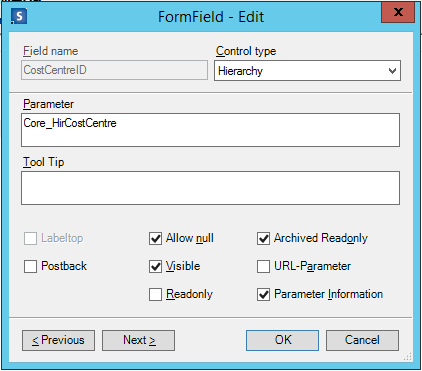
Now in the Web Configuration of a form view change the CostCentreID Control from "CostCentre" to "Hierarchy" and as a Parameter give the name of the created view. That's it!
Additional Information
Spider Asset, Spider Licence, Spider Contract
Was this helpful?



